
The Solution: Enabling Identity Roaming in FSLogix
The fix involves a simple, yet critical, registry modification that instructs FSLogix to include the necessary identity data and authentication tokens within the user's profile container.
The specific setting you found is designed to enable the roaming of identity and authentication data.
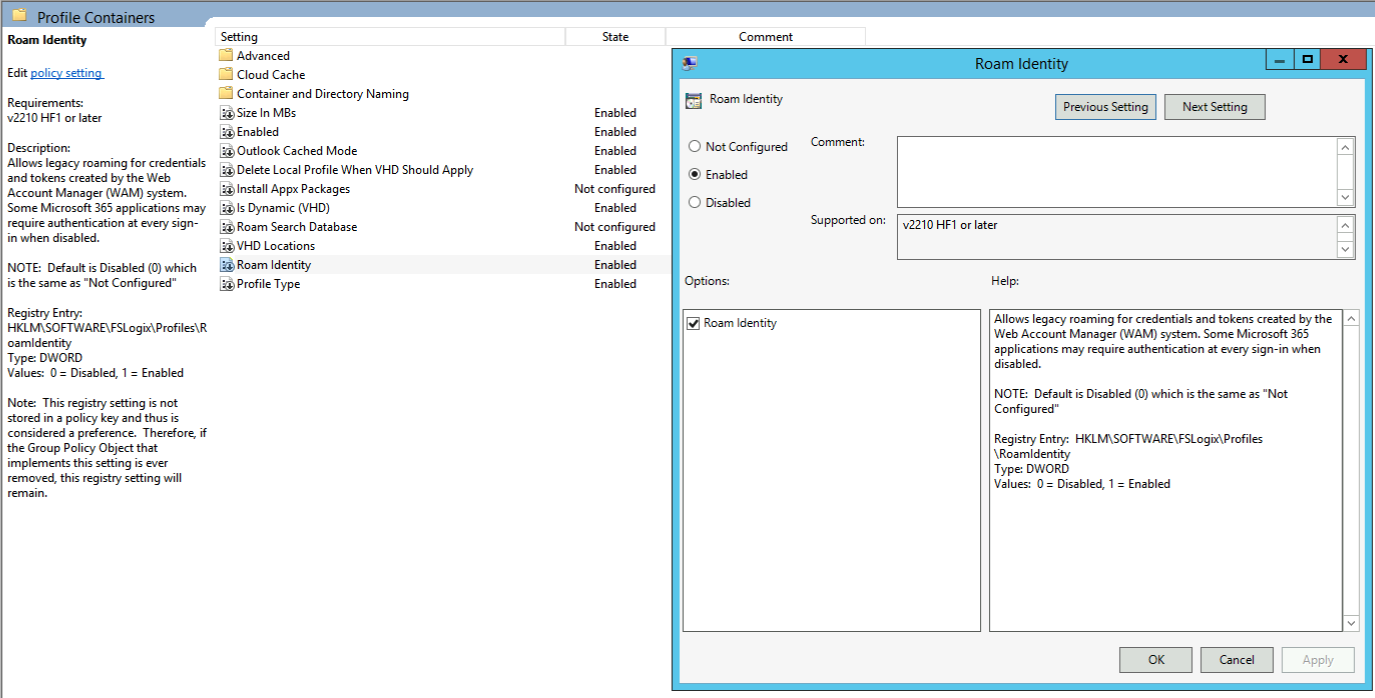
When not using the Group Policy it’s also possible to configure the registry key.
HKLM\SOFTWARE\FSLogix\Profiles\RoamIdentity
Type DWORD
Value 0 is disabled and value 1 is enabled.
Once the VDI machines are updated with this registry key, users should be able to log off and log back on without being prompted to re-enter their credentials for Outlook and Teams. The RoamIdentity setting ensures a smooth, persistent user experience that mimics a non-VDI physical desktop.